
How to Use the ZentBuy Spreadsheet
Start with one item. Compare its size and reference price, then open the matching listing to check what you can order today.
Jump to order costs1. Pick a category and compare a short list
Browse shoes, hoodies, or T-shirts. Compare the dated USD estimates and use the fit tips to decide what to check on the listing. The amount marked ¥ is the recorded price in Chinese yuan (CNY).
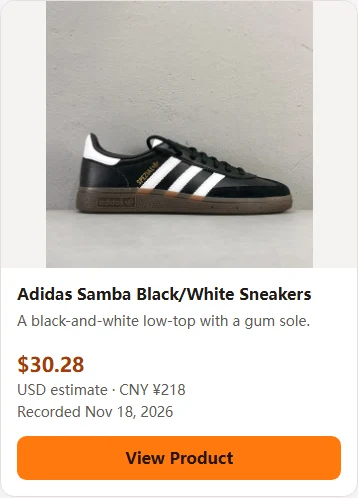
2. Open the matching listing and check your options
Select View Product on the card. Check the color and size on the matching listing, then look at the available shopping-agent options. If ZentBuy is listed for that item, confirm the variant and total shown before paying.
If the chart is unclear, see how to compare clothing measurements.
For a wholesale listing, check the minimum quantity and unit price on 1688. For an electronic item, verify the power rating and plug for your country.
View Product3. What to check in warehouse QC photos
If you order through ZentBuy, review the warehouse quality-check (QC) photos when they become available.
- Match the size label to the size you ordered. If a measurement photo is available, compare it with the listing’s size chart.
- Check the color and print against the option you chose. Look for visible damage or marks you want to ask about.
- If a detail is unclear, check whether you can request another photo or contact support before submitting your parcel.
If the photos show a different item
Open the order details and compare them with the photos. Note the difference, such as a wrong size label or color, and keep the order number and the relevant photo handy. Ask support what options are available for that order before you submit it for shipping.
4. Store your items and prepare a parcel
Check your warehouse deadline
ZentBuy advertises no storage charge for the first 90 days and a maximum storage period of 120 days. Check the deadline for your items before waiting for another order. Once the items you want to ship are ready, you can combine eligible orders in one parcel and choose packing options.
Compare shipping quotes for the same parcel
Use the destination and the packed weight and dimensions when they are available. A large, light box can cost more to ship if the carrier charges by dimensional weight. Compare the total shown for each route, what it includes, and the estimated delivery window before paying for shipping.
Before submitting the parcel, check the delivery address and unit number.
Track your parcel after dispatch
Once the parcel leaves the warehouse, check its shipment updates in the agent account. Use the tracking number for the international parcel. The seller’s delivery to the warehouse is a separate shipment.
If only a label appears in tracking, check whether the carrier has scanned the parcel.
What if my size is unavailable or the link stops working?
A listing can still open when the size or color you want is unavailable. Check that your option can be selected and that there is a buying method for it.
If the link stops working or your option is sold out, search the product name or model number in the top search box. Compare the listing photos and size chart before choosing a replacement, and use its own current price in the order cost estimate.
Why can the final amount differ from the spreadsheet price?
The card shows a USD estimate and the recorded CNY price. Check the current price for your chosen size and color, any domestic delivery charge and the amount in your payment currency before confirming.
International shipping is quoted separately when you prepare your parcel.
To compare payment options, work out the effective exchange rate at checkout.
Estimate your order total
Use the same currency for every amount. If a fee is already in the item subtotal or shipping quote, leave it out of the other fields.